
 Samsung Tool (SamsungTool.us) – Server Credits

 Product Overview
 Samsung Tool (SamsungTool.us) Server Credits provide flexible access to supported Samsung servicing operations such as KG handling, FRP functions, factory reset, MDM/IT Admin tasks, flashing, and ADB/MTP features.
 Ideal for professional technicians who need credit-based usage for compatible models and supported operations.
 Credits allow targeted operations without requiring long-term full activations, saving cost and offering flexibility. Key Features
 Flexible credit-based usage for supported Samsung Tool operations KG / Knox Guard related supported services Factory reset support on compatible devices FRP / Lost Mode / selected security-related functions MDM / IT Admin handling on supported models Qualcomm Samsung service support Flash / Erase / Backup / EFS related functions Odin direct ZIP flashing support ADB / MTP advanced service operations Fast and convenient solution for professional users Why Choose Samsung Tool Server Credits? Flexible usage based on service requirements Suitable for professional and occasional jobs Practical for supported Samsung servicing tasks Easy option for users who already use Samsung Tool Cost-effective for targeted operations Supported Models & Compatibility Samsung Galaxy A, M, S, Z, and Tab Series Android 10 to Android 16 supported
  Server credit usage depends on function, device model, chipset, patch level, and Samsung Tool compatibility. Always verify support before ordering.
  Download Samsung Tool Software Download the latest official Samsung Tool Install Samsung USB drivers for stable operation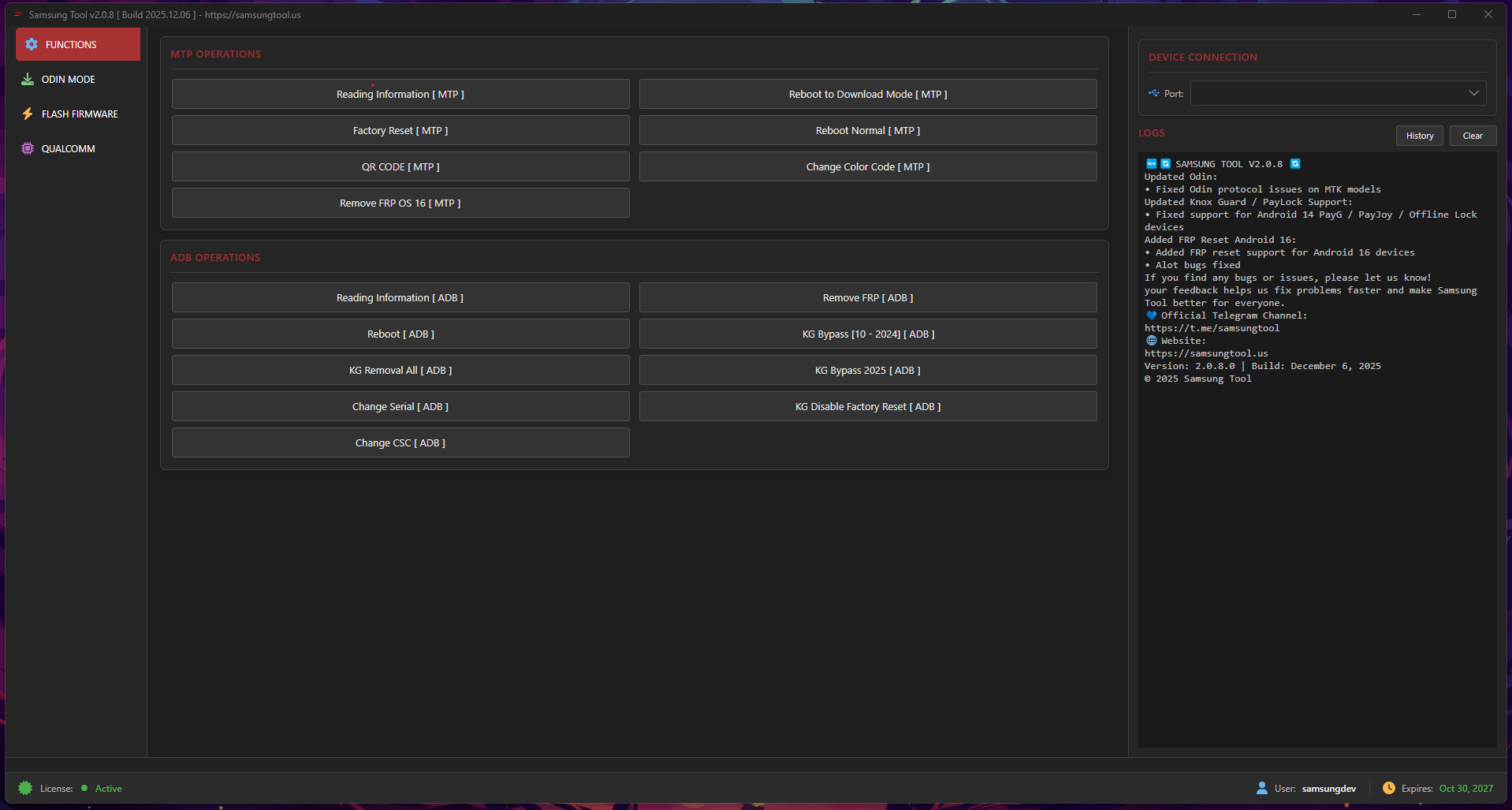
Samsung KG Lock Bypass Tool | 2026 Update
Stable KG Lock Bypass solution. Factory Reset OK, no re-lock. Support Android 10–16.
Login
 How to Use Samsung Tool Server Credits
1. Create your Samsung Tool account from the official user panel
2. Purchase Samsung Tool Server Credits from a trusted reseller
3. Enter the correct username/account details while ordering
4. Wait for credit balance to be added to your account
5. Login to Samsung Tool and check available supported operations
6. Verify model and patch compatibility before using any function
 Flexible Credit Usage | Official Platform Support | Best for Professional Work Important Notes This product is for Samsung Tool Server Credits Enter the correct Samsung Tool username while ordering Credits are intended for supported functions only Always verify supported models and patch compatibility first Digital product – no refund after credits are added For professional and authorized service use only
  Buy Now:
  Connect With Us
 Telegram Channel
 Facebook Page